
Powering On the SmartPTO
- Turn off the vehicle ignition and allow the engine to stop running. After the engine has shut down, turn the ignition key forward to the ON position, without starting the engine.

Note: This powers accessory equipment (strobes, work lights, etc.)
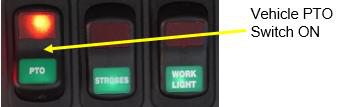
- Prior to leaving the cab, turn ON the cab-mounted Vehicle PTO switch on the dash/overhead.
- At the SmartPTO Main Control Panel, ensure the Emergency Stop pushbutton is reset. To reset the Emergency Stop, TWIST clockwise and PULL outward to allow the pushbutton to return to the OUT (reset) position.
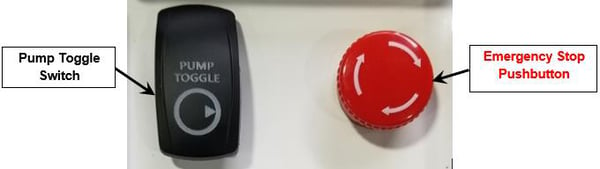
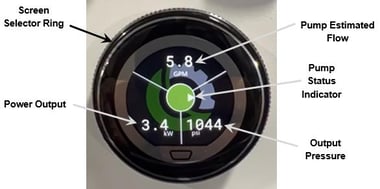
- When you are ready to use the vehicle hydraulic systems, PRESS and HOLD the Pump Toggle switch for 2 seconds to activate the SmartPTO hydraulic pump. When the hydraulic pump is activated, the Touch Encoder display will switch to the “Pump Status” screen (below), which shows operational status of the unit. Verify the Pump GPM and the Pump Pressure on the Touch Encoder display.
- Utilize the vehicle’s hydraulic systems per the normal operational procedures, for example:
- Deploy the vehicle outriggers
- Switch to upper controls
- Operate the overhead boom or winch
- Use hydraulic tool attachments
Efficiency Tip: When the chassis hydraulics are in “outrigger mode”, switch modes or turn OFF the SmartPTO as promptly as possible when work is completed to prevent wasting available SmartPTO energy.
SmartPTO LED Array Display Elements
- System Status: (Green = On and Ready, Red = Stopped/Faulted)
- Pump Status: (Blue = Standby Mode, Green = On)
- Battery State of Charge (SOC): Displayed at 10% increments — shown below is 80% full.

SmartPTO Start/Stop from the Bucket
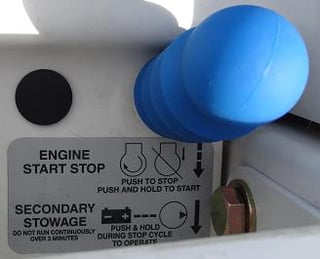
With the SmartPTO pump operating:
- Press and Release the ENGINE START STOP plunger once to stop the SmartPTO.
To switch from SmartPTO to Engine On (SmartPTO stopped):
- Press and Hold the ENGINE START STOP plunger to start the diesel engine for hydraulic system operation. The bucket then works from the engine PTO pump.
To switch from Engine to SmartPTO Pump:
- Press and Hold the ENGINE START STOP plunger until the diesel engine stops running.
- Press and Release the ENGINE START STOP plunger once to start the SmartPTO for hydraulic system operation.
Optional Electric AC (eAC) System Operation
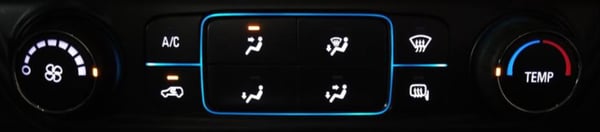
If truck cab cooling is desired:
- Ensure all dash vents are open and the Mode Selector is set to Upper or Upper/Lower.
- Turn Fan speed to high and set the temperature selector all the way to cold.
- Turn Recirculation on, then press the “eAC” button to enable the electric AC compressor.
Charging the SmartPTO
Standard Charging (Level 1)
- Plug a 15 Amp rated, 120V extension cord into the charging port. The SmartPTO LEDs turn ON to indicate charging.
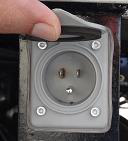
⚠️ WARNING! Using an improperly rated electrical cord could cause the cord to heat up, melt, or start a fire.
Optional Fast Charging (Level 2)
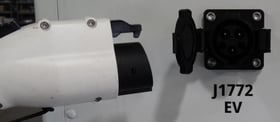
- Plug into the SmartPX J1772 EVSE (Level 2) charging port using a properly rated J1772 Charging Connector.
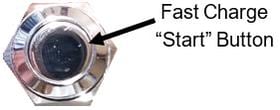
- Press and HOLD the Fast Charge “Start” button to initiate the charge session.
- Verify the unit is charging by checking the Touch Encoder Display or by monitoring the LED Array.